Rebuilding the Database
Rebuilding the database may be required if the file is corrupted or if you deleted root or project folders outside of Dragonfly. You can rebuild the database file at any time.
Open the Organizer Settings dialog and then click Maintenance in the Navigation panel to access the option to rebuild the dataset.
Organizer Settings dialog
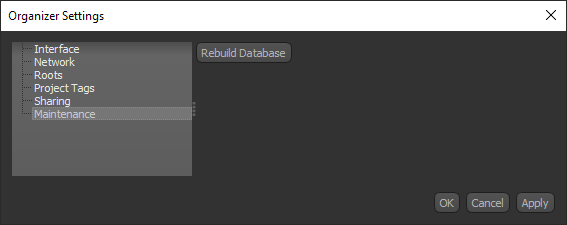
The following will occur when the database file, which is stored in: %programdata%\ORS\dataorganizer, is rebuilt:
- The current database file is deleted.
- A new database file is reconstructed by scanning all files in the root and project folders.
How to Rebuild the Database
- Click the Settings button
 on the left sidebar of the Organizer dialog.
The Organizer Settings dialog appears.
- Click Maintenance in the Navigation pane.
- Click Rebuild Database.
Note Rebuilding the local database can be a lengthy process, particularly if a large number of files are available.